VS Code Agents window on the MX Creative Keypad
Live status of your VS Code Agents window sessions (GitHub Copilot) on the Logitech MX Creative Keypad. Press a key to jump to one.
Download AgentsWindow.lplug4Source on GitHub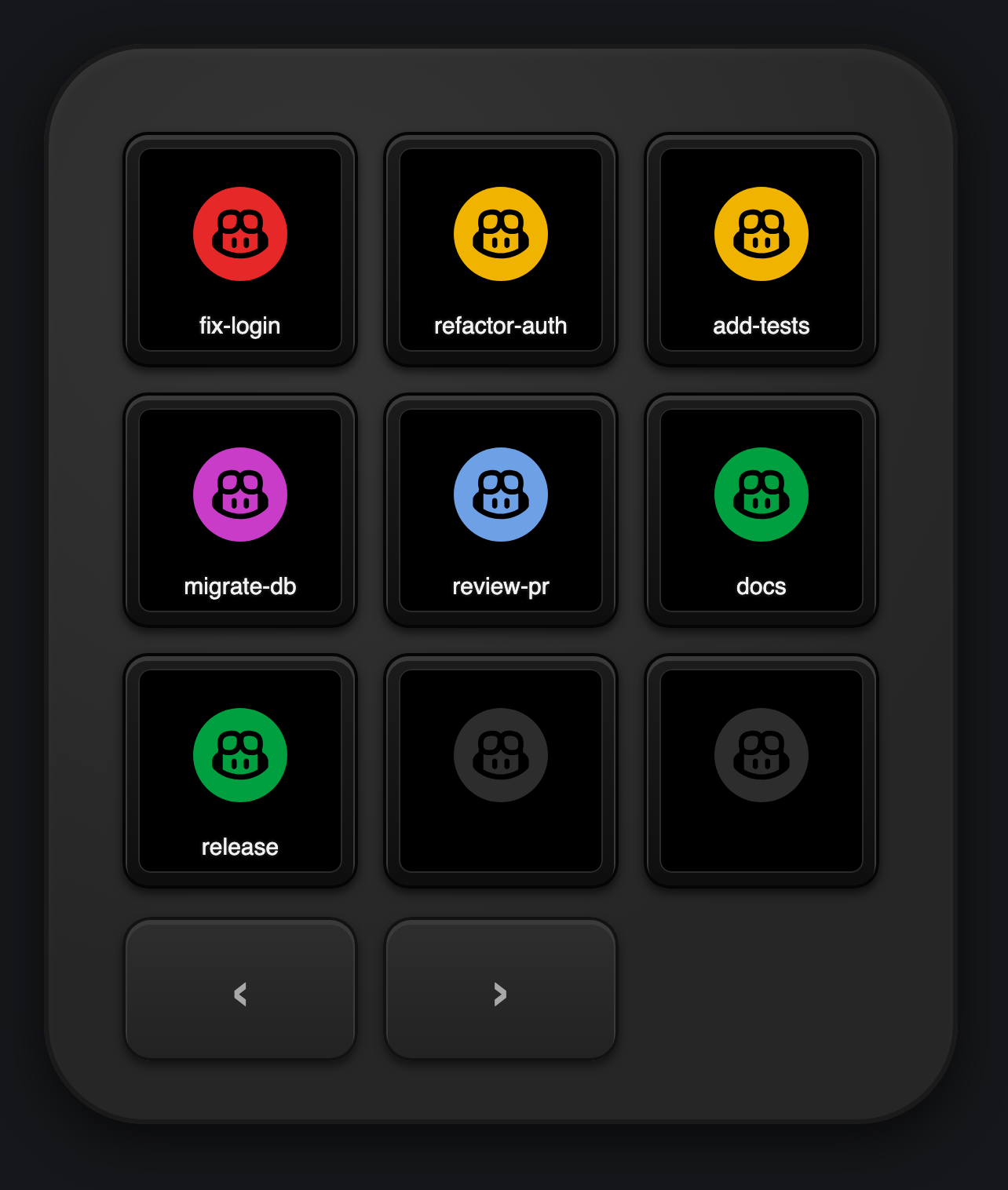
Demo
Key colors

| Color | Meaning |
|---|---|
| Red | Waiting for you: a question or an approval. |
| Purple | Error, including a turn stopped on Keep Going or Try Again. |
| Amber | Working. |
| Blue | Finished, not looked at yet (VS Code's blue dot). |
| Green | Idle. |
| Dark red | VS Code is not reachable. |
| Dark grey | Empty slot. |
A session key shows its most urgent chat, so a side chat waiting for you colors the whole session.
Actions
Drag them onto keys in Logi Options+ (All actions → VS Code Agents Window).
| Action | What it does |
|---|---|
| Recent chat 1–9 | The Nth chat across all sessions, most urgent first. Press opens it; long press archives it after a second press. |
| New session | Opens the Agents window's new-session composer. Reads Start VS Code when VS Code is closed. |
| Agents window (folder) | One key per session with a chat-count badge. Long press opens the session menu: Back, New chat, Archive, and its chats. |
| Shortcut keys | Sidebar, Right Sidebar, Terminal, Files, Changes, Search, Browser. VS Code comes to the front, then the keys are sent. |
| VS Code shortcuts (folder) | New plus the seven shortcuts on one Keypad page. |
The Agents window folder
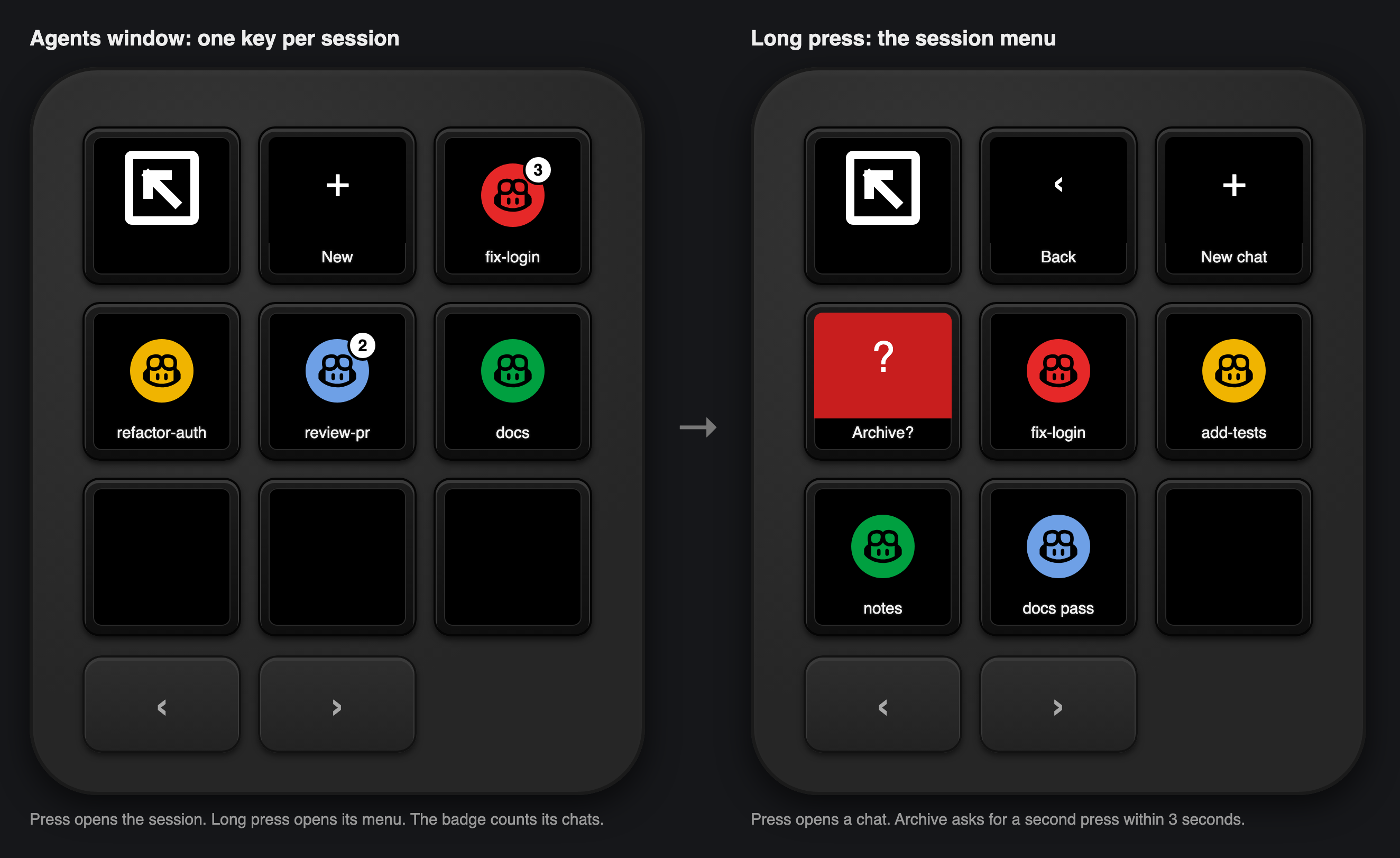
A press opens the session. A long press opens its menu. Archive asks for a second press within 3 seconds.
Shortcuts
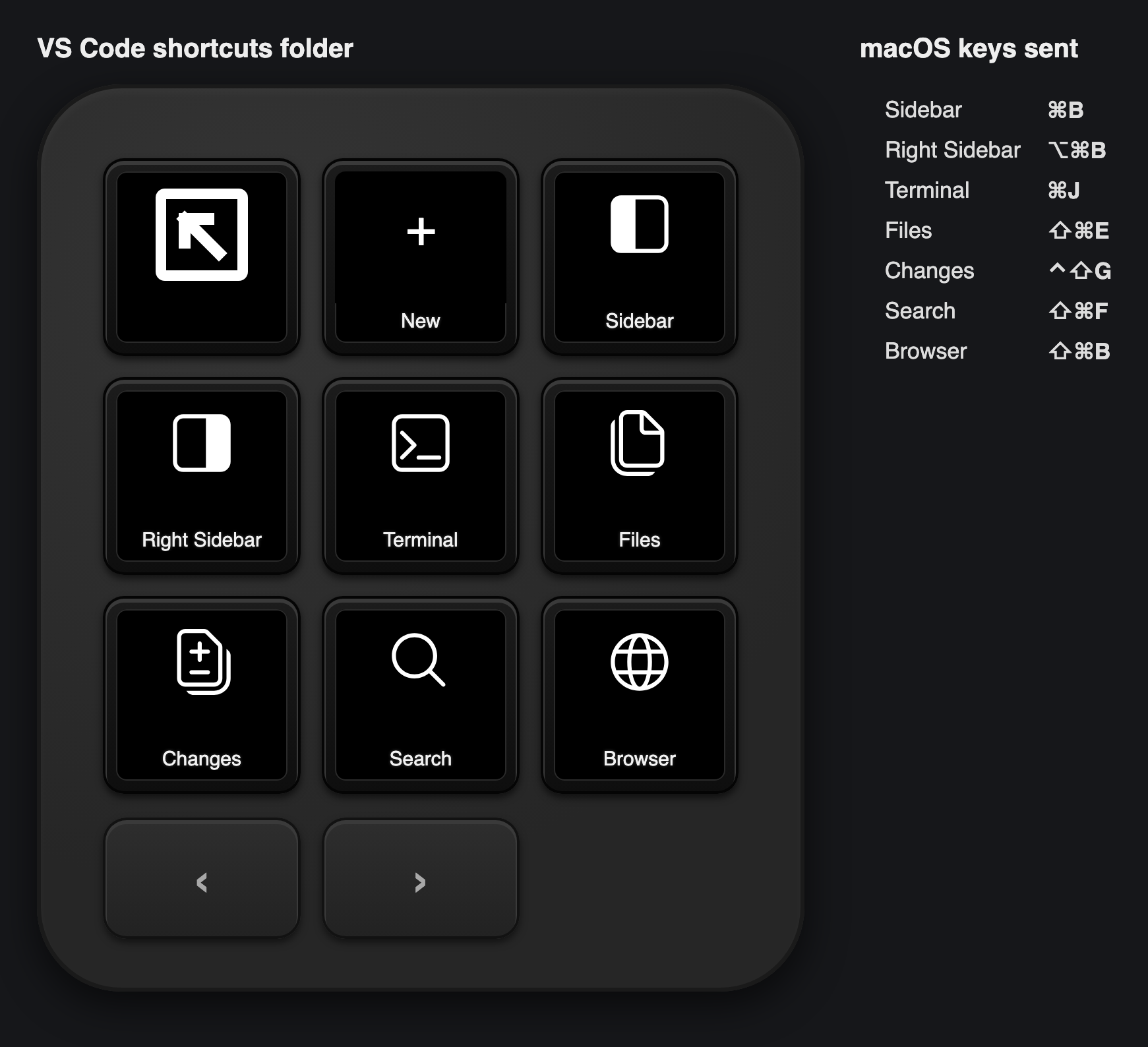
| Key | macOS | Windows (untested) |
|---|---|---|
| Sidebar | ⌘B | Ctrl+B |
| Right Sidebar | ⌥⌘B | Ctrl+Alt+B |
| Terminal | ⌘J | Ctrl+J |
| Files | ⇧⌘E | Ctrl+Shift+E |
| Changes | ⌃⇧G | Ctrl+Shift+G |
| Search | ⇧⌘F | Ctrl+Shift+F |
| Browser | ⇧⌘B | Ctrl+Shift+B |
Install
- Requirements: macOS, VS Code 1.144 or later, Logi Options+ with Logi Plugin Service 6.4 or later, and an MX Creative Keypad or Loupedeck CT.
- Download
AgentsWindow_<version>.lplug4from the latest release. - Double-click it. Logi Options+ installs the plugin.
- In Options+, select the Keypad, open All actions, and drag the actions onto keys.
Privacy
State comes from VS Code's local Agent Host (Agent Host Protocol) over a local socket. Nothing leaves your machine, and the connection token is never logged.
Also for Cursor
The same keys and colors for the Cursor Agents window: Cursor plugin. For terminal agents in herdr, see herdr-logi-plugin.