Herdr TUI agents on the MX Creative Keypad
Monitor local and remote agents together on the Logitech MX Creative Keypad with Herdr TUI. Live state colors, pane navigation, and a small R badge for agents on saved SSH machines.
Download HerdrKeypad.lplug4 Source on GitHub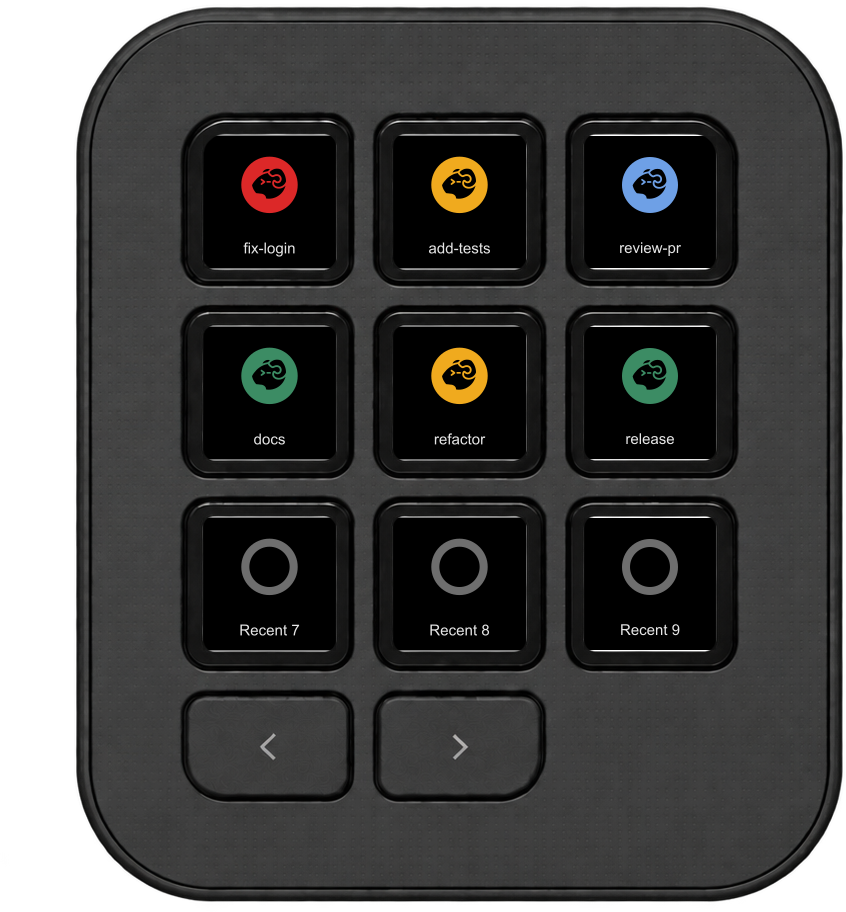
Diagrams drawn from the plugin's colors and icons, not photos.
Key colors

| Color | Meaning |
|---|---|
| Red | Blocked: the agent needs your input. |
| Blue | Done and not yet seen, as reported by Herdr. |
| Amber | Working. |
| Green | Idle and ready. |
| Grey / dark red | Empty slot / Herdr is not reachable. |
The Agents folder key shows the highest-priority state: blocked, unread, working, then idle.
Agents at a glance
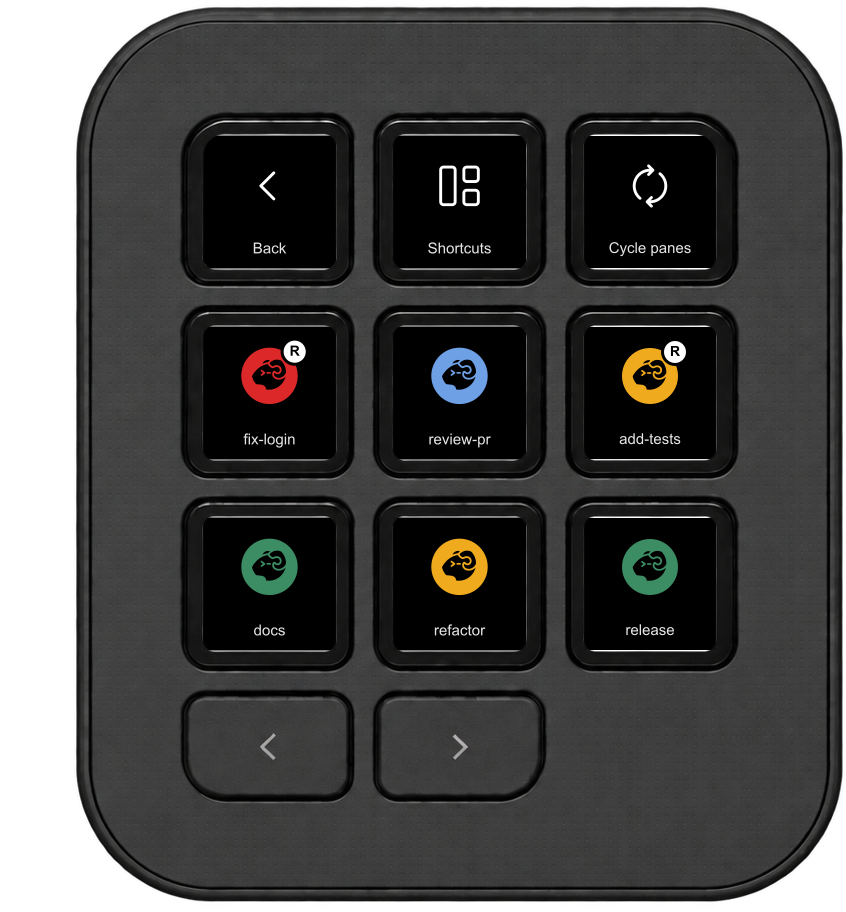
Assign Recent Agent 1–9 directly, or open the Agents folder to browse live agents. A press focuses the pane; on Recent Agent keys and inside the Agents folder, a long press offers a confirmation before closing it. Remote agents carry a small R badge.
Local and enabled saved SSH machines share the agent list. Remote snapshots refresh every ten seconds; older SSH installations can supply snapshots through a read-only SSH fallback. Direct focus/close commands require machine API forwarding. Space and layout shortcuts operate on the local server; hybrid agent focus uses native Go to when changing machines.
Shortcuts
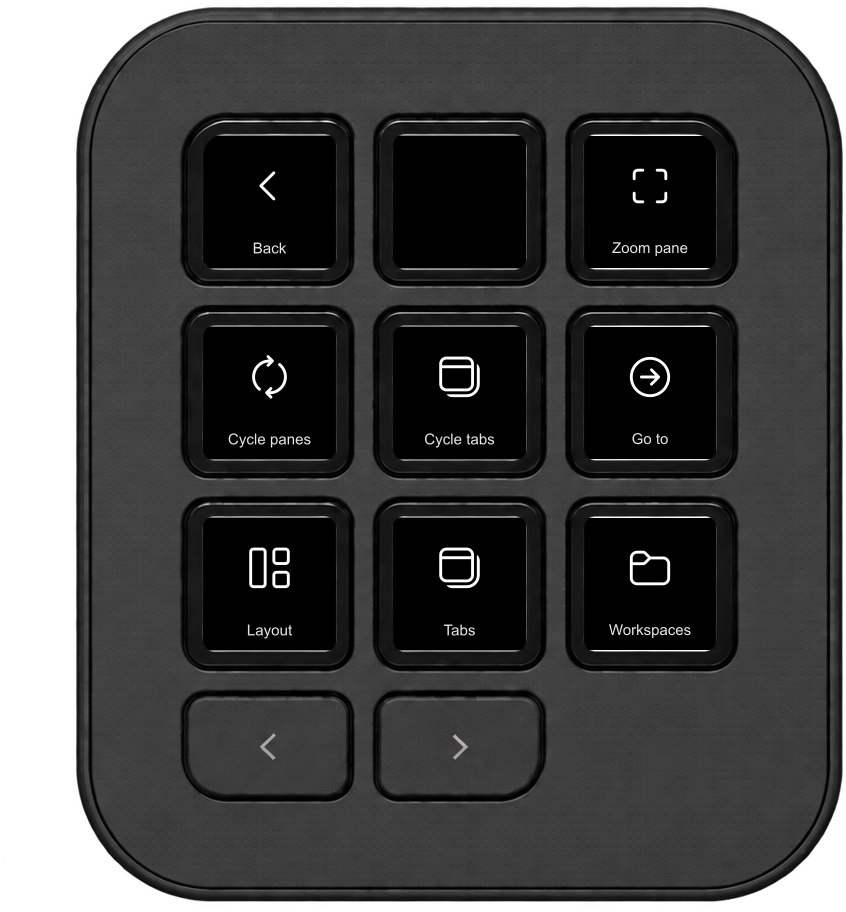
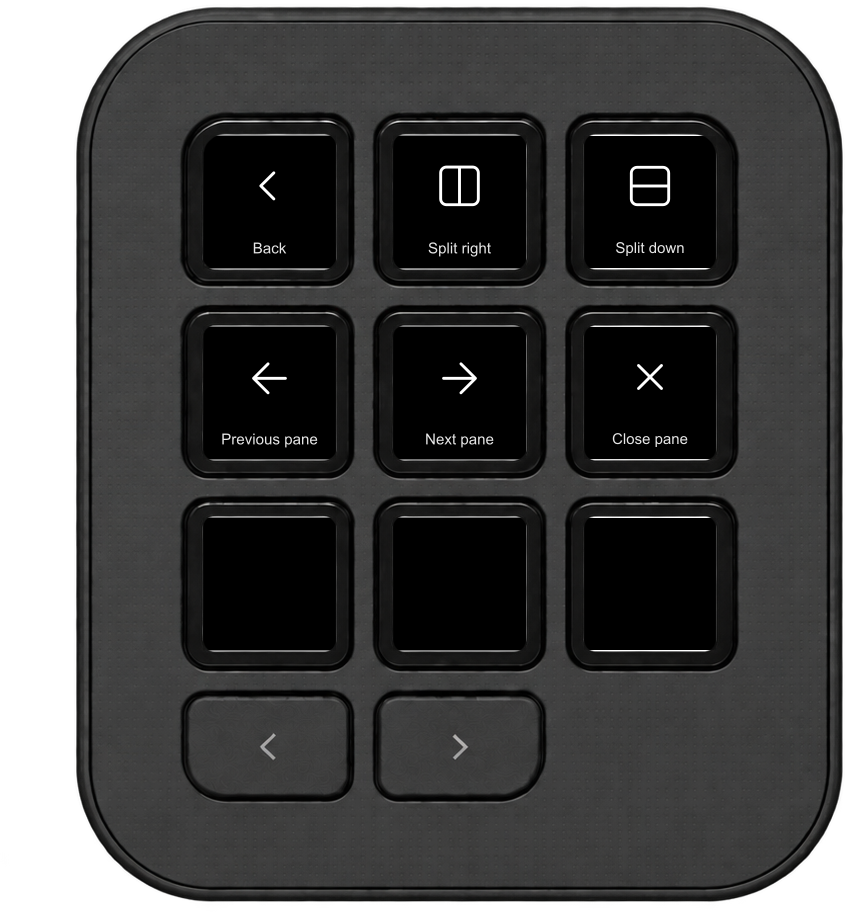
Zoom a pane, cycle panes or tabs, open Go to, split the layout, and move between workspaces. Each shortcut is also an individual action. To close the focused pane, hold Close pane, then press Close? within three seconds.
Go to and navigation limits
Go to opens Herdr's native picker using Ctrl+B, then G. With default Herdr bindings, no configuration change is needed. This macOS action activates the terminal and sends keys through System Events, requiring Accessibility access for Logi Plugin Service. Keep the intended Herdr TUI active in that terminal.
For a custom prefix or Go to binding, set goToShortcut in ~/.config/herdr-logi-plugin/config.json (or HERDR_LOGI_CONFIG) to match. The default is "ctrl+b,g"; commas separate successive strokes.
Server focus alone does not select a machine. The default hybrid agent-focus mode uses direct API focus on the selected machine and native Go to when changing machines. With hybrid focus disabled, select the machine or agent in Herdr's UI or Go to yourself.
Space keys, Previous/Next Workspace, Cycle panes/tabs and layout shortcuts operate on the local server, even while the TUI displays a remote machine. They do not cycle across machines.
Herdr's native workspace/agent navigation can cross connected machines using optional keybindings. This plugin does not configure or provide those bindings; you can create your own keyboard macros in Logi Options+ with matching shortcuts configured in Herdr.
Experimental hybrid agent focus
Included since v0.1.6.
Hybrid agent focus is enabled by default. To disable it, set "experimentalGoToAgentFocus": false in ~/.config/herdr-logi-plugin/config.json. Set it to true to re-enable it. Configuration is read on each agent press; no restart is needed.
The quick route reads Herdr's locally saved machine selection. When Go to is needed, its picker opens and the search is filled immediately while Local and remote snapshots are checked. Only Enter waits for validation. If that fails, the filtered picker stays open for manual use. The destination key shows Opening... while working; additional presses are ignored during navigation and for one second after Go to, rather than queued. A confirmed current agent is left in place. Use one intended Herdr TUI client, keep its terminal tab active, and close other dialogs. Saved selection does not acknowledge what a particular window displays.
Set "goToInputDelayMs": 100 in the same config file to adjust search and confirmation keyboard pauses. The default is 100 ms; valid values are integers from 0 to 5000. If characters are missed, try 200–300 ms. Lower values reduce typing pauses, not SSH lookup time. Invalid values use 100 ms; no restart is needed.
Enabled saved machines are discovered automatically. For older SSH installations without machine API forwarding, agent discovery can read snapshots over noninteractive SSH without installing or restarting the remote server.
Install
- Requirements: macOS, Herdr TUI 0.9.5, Logi Options+ with Logi Plugin Service 6.4 or later, and an MX Creative Keypad or compatible Loupedeck.
- Download
HerdrKeypad_<version>.lplug4from the latest release. - Double-click it to install it with Logi Options+, then add the actions to your Keypad.
Also for VS Code and Cursor
Use the same Keypad to monitor agents in VS Code and Cursor.